Every page rebuilt from scratch
Without reusable blocks, teams still spend too much time assembling marketing and app surfaces.
Feature / UI Blocks
BunShip includes a component and block system for common product surfaces so teams can reuse working UI instead of rebuilding every landing page, dashboard panel, and feature section from scratch.
Live
Blocks already have browseable demos and implementation references.
3
Marketing, app, and admin interfaces can share one component language.
Faster
Pages can be assembled from proven UI instead of one-off layout work.
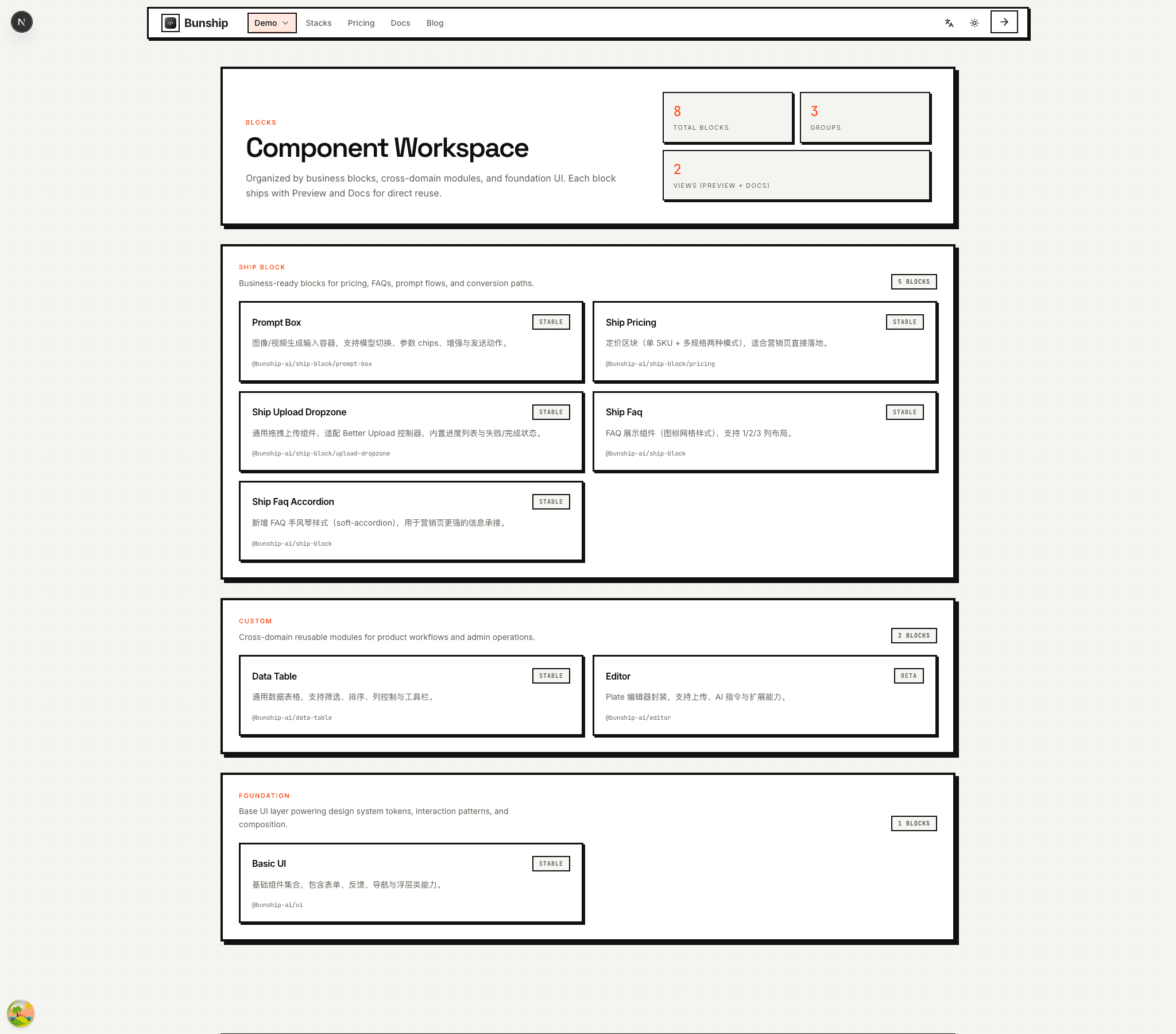
The block system gives BunShip a visible implementation surface that buyers can evaluate before purchase.
Reusable UI matters when a starter is meant to accelerate actual product delivery, not only infrastructure setup.
Without reusable blocks, teams still spend too much time assembling marketing and app surfaces.
A block library is more useful when previews and docs stay close together.
Marketing, app, and admin UIs should feel like one product system rather than disconnected templates.
This page should own the reusable-component intent while the `/blocks` route handles browsing and direct preview depth.
A dedicated browsing experience already exists for reusable UI blocks.
Each block can be explored visually and then inspected through implementation references.
The component system supports landing pages, product modules, and operator-facing UI.
This page supports both conversion and product confidence because buyers can see a reusable design system already in action.
Teams can ship faster when the starter includes reusable UI, not only backend setup.
Live blocks give buyers a concrete feel for implementation quality.
Shared blocks help marketing, product, and admin surfaces feel like one system.
Keep this page connected to the live block browsing experience and the implementation docs.
Useful for teams that need visible UI acceleration, not just backend foundations.
Reuse page sections and interface blocks instead of spending launch week on repetitive UI assembly.
Start from a reusable component baseline and customize from there.
Blocks make it easier to test page variants and new surfaces without redesigning every section.
This page should position the system clearly without competing with the live `/blocks` route.
Next step
Browse the live block library or continue into the component docs for implementation details.